E-Government Gateway mobile app
Repositioning an AI compute product from an earnings pitch to a transparency-led experience.
Challenge
The existing mobile app was completely outdated — it hadn't kept pace with the platform's growth and failed to meet basic modern usability, accessibility, or design standards. Navigation was inconsistent with the web portal, service information was hard to parse on a small screen, and there was no clear way for users to track the status of their own requests once submitted. A full mobile redesign was needed to bring the app in line with contemporary UX expectations and mirror the structure of the newly rebuilt web platform.
Outcome
The rebuilt app brings the mobile experience to parity with the redesigned web portal — replacing an outdated, standards-non-compliant interface with a consistent, trackable, and personalized system. Citizens can now discover services by life event, monitor every stage of an order's progress, and control exactly which updates they receive — all from a native app that finally matches the scale and reliability of the underlying platform.
Context
As part of the broader modernization of Elektroniniai valdžios vartai (epaslaugos.lt), Lithuania's central e-government services portal, the redesign extended to its native mobile app — giving citizens the same access to public services, life-event navigation, and order tracking directly from their phone.
Design principles
- Consistency with the web platform — mirroring the life-event and service-category navigation model from the desktop redesign, so users move seamlessly between web and app.
- Personal dashboard as the core — a dedicated "Mano" (My) section consolidating ongoing, completed, rejected, and saved services, plus payments and documents, in one place.
- Transparent order tracking — clear status states (Užsakyta, Laukiama, Nagrinėjama, Įvykdyta) with timestamps, order IDs, and provider contacts visible at a glance.
- Granular notification control — per-life-event toggles for how and where users receive updates (email, in-app), replacing blanket notification settings.
- Secure, low-friction authentication — a clear login entry point supporting both authenticated access and guest browsing.
- Readable service details on mobile — collapsible sections (full description, required documents, cost) adapted for small-screen scanning instead of dense desktop-style text blocks.
Walkthrough
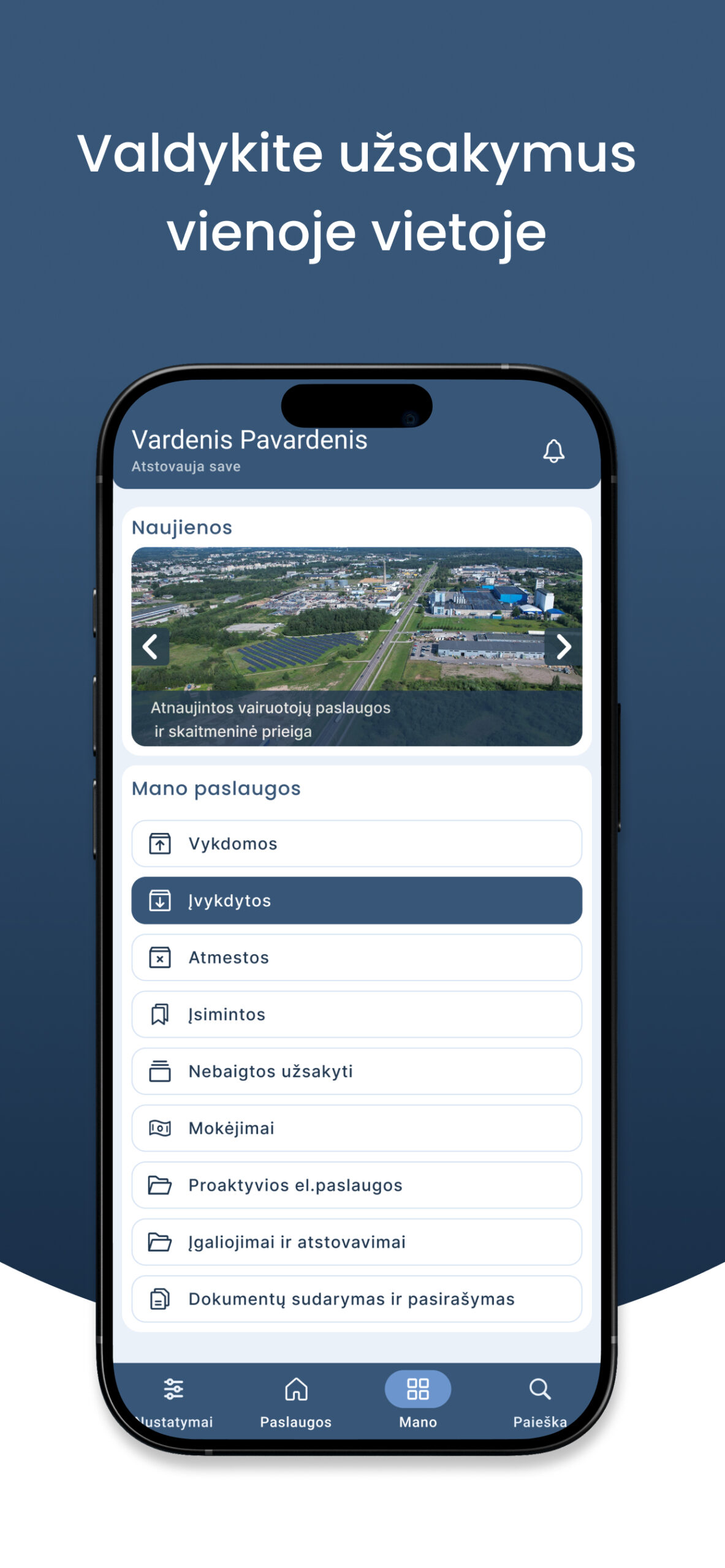
Home
Personal dashboard consolidating ongoing, completed, rejected, and saved services, payments, and document management.
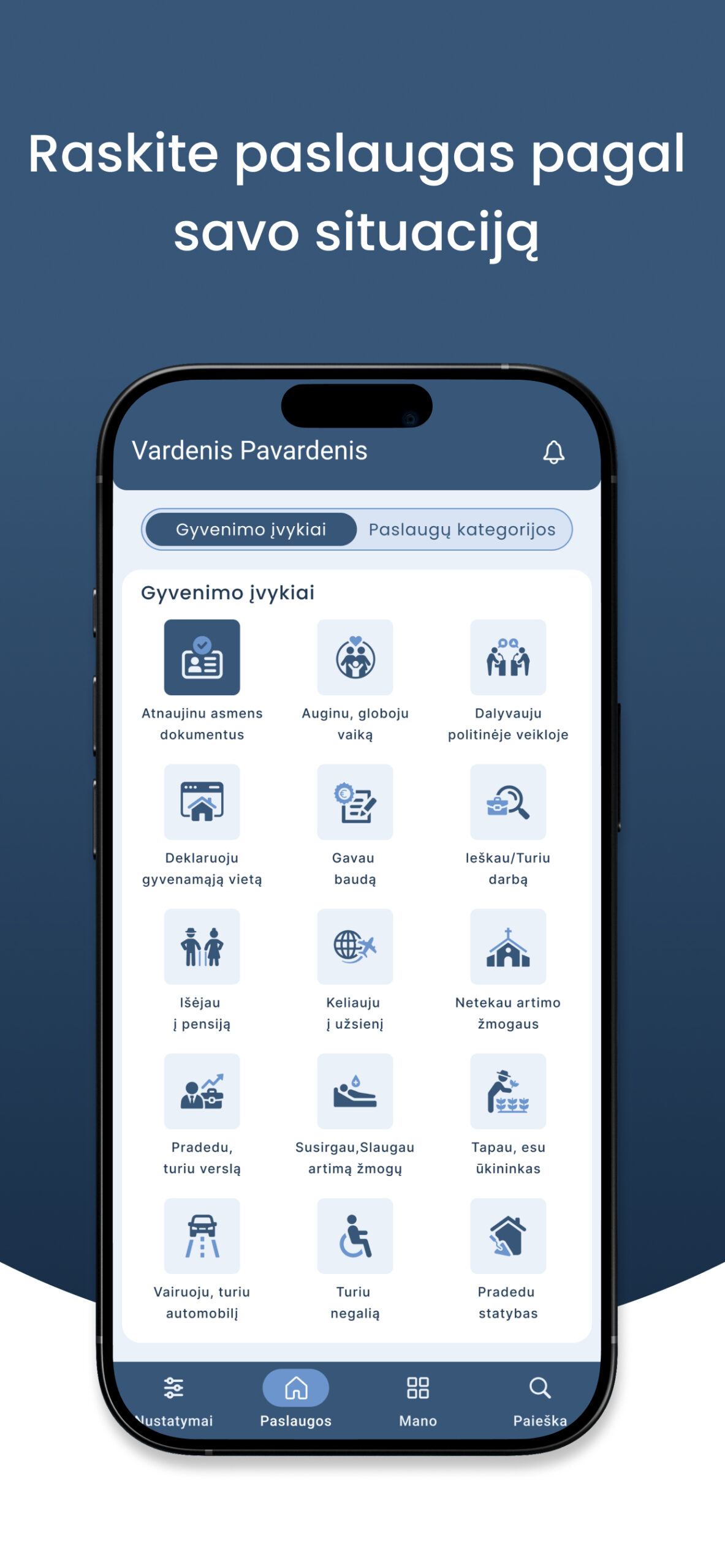
My Services
Life-event grid as the primary discovery path, with a toggle to switch to category-based browsing.
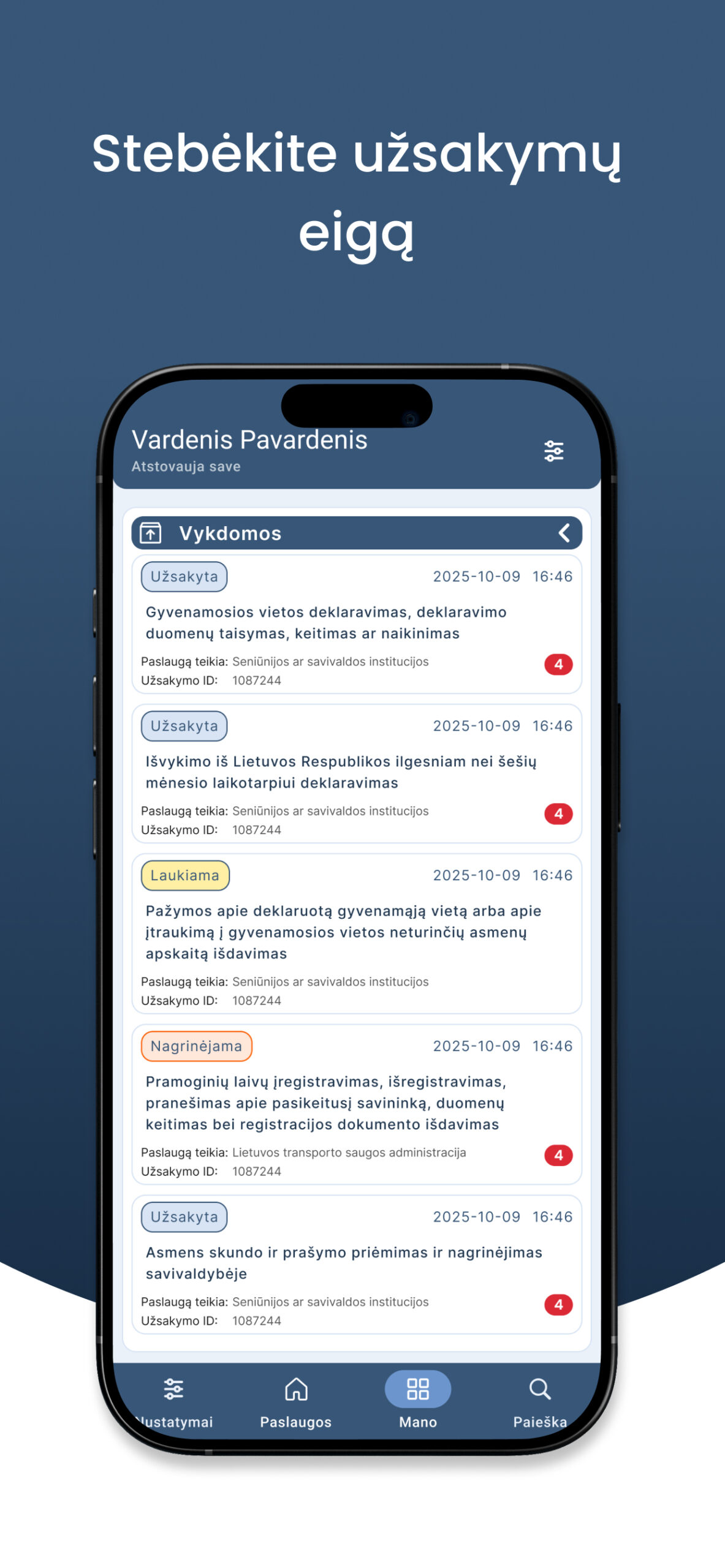
Order Details
Full order breakdown — status, ID, timestamps, recipient, provider contacts, and downloadable documentation.