Meistrly: an AI assistant for renovation
An AI app that flags risk in a renovation estimate before you sign, then keeps homeowner and contractor in sync as the work happens.
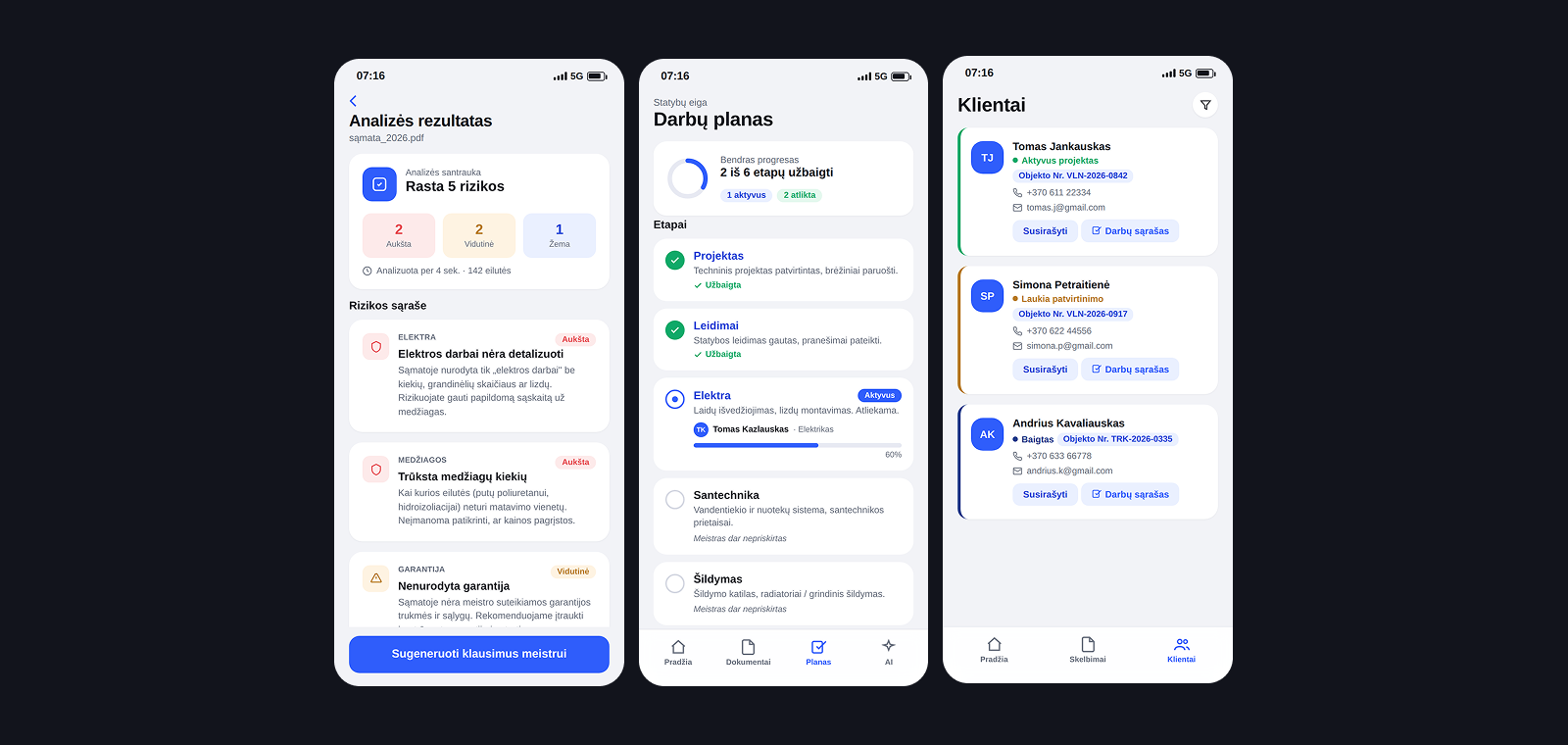
At a glance
01 Problem
Homeowners sign renovation estimates they cannot judge.
GoalHelp homeowners catch gaps in an estimate before they sign.
Challenge
Serve two very different users, an anxious homeowner and a time-pressed contractor, in one app, and prove it as a real, clickable product rather than a deck.
Outcome
A working client and contractor prototype with live two-way sync now exists. Its effect on real homeowners and contractors is not measured yet; the Vilnius pilot is planned to test it.
In Lithuania, checking a contractor's estimate still means a paid manual review, days later. Meistrly is designed to do it in seconds, and to follow the project through to completion.
02 Users
Two sides of one job: an anxious homeowner and a time-pressed contractor
Deliberately out of scope Replacing the contractor, the contract or a lawyer: Meistrly flags risks and prepares questions.
03 Research
Starting from assumptions about trust, to be tested in a Vilnius pilot.
Desk research on the Lithuanian market and building regulations, with a competitive review. Interviews with homeowners and contractors are planned for the pilot, not yet run.
- Assumption: homeowners cannot judge an estimate A first read must happen before signing, not after problems appear
- Assumption: contractors cannot easily show they are reliable Visible progress gives good contractors an edge
- Assumption: a paid manual review is too slow to be used An instant check removes the barrier
04 Process
One estimate, six stages, two people looking at the same data.
Today: from estimate to finished work
4 steps- 01 Receive the estimate GoalKnow if it is reasonable FrictionMissing quantities and unclear lines are hard to spot
- 02 Get a second opinion GoalCheck it before signing FrictionA paid manual review, days later
- 03 Sign the contract GoalStart the work FrictionGaps surface in the middle of the project
- 04 Follow the work GoalKeep the project on track FrictionNo shared view of stages, dates and payments
The weakest point is the moment before signing.
With Meistrly
6 steps- 01 Upload GoalPDF, Excel or a photo of the estimate
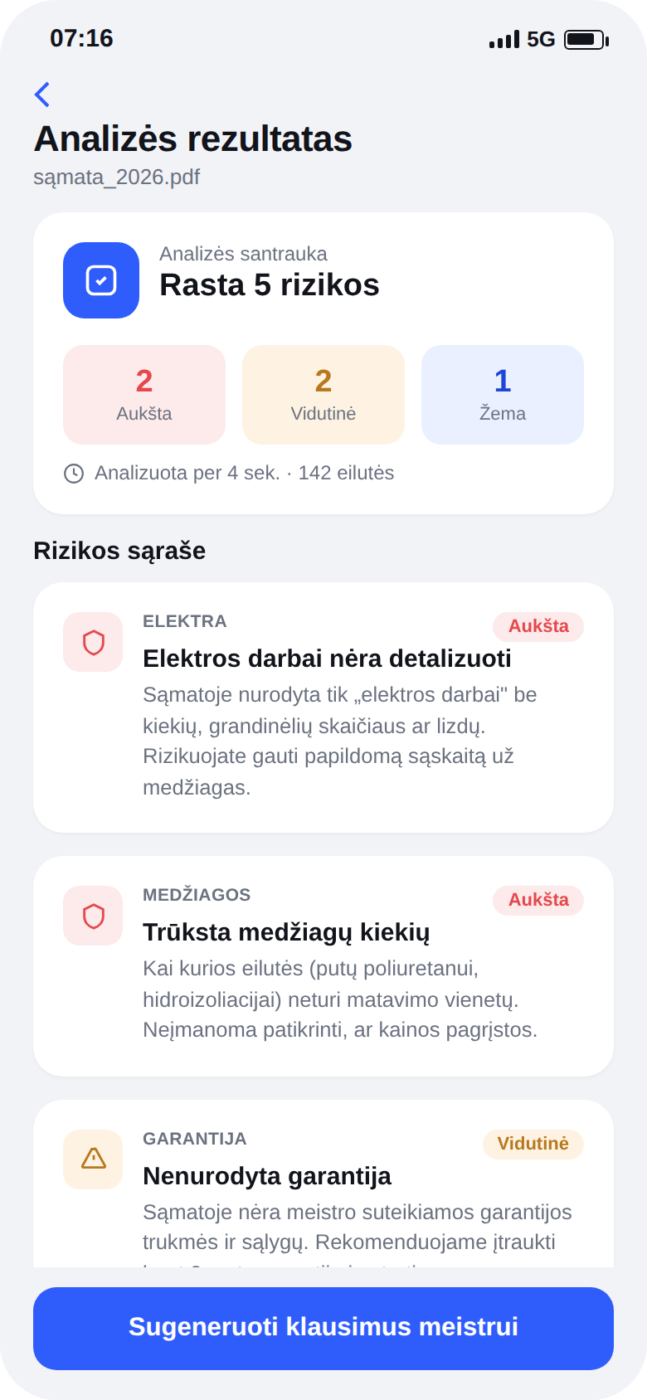
- 02 Analyse GoalMissing quantities, unclear lines and risks, ranked by severity
- 03 Ask GoalFive questions to put to the contractor
- 04 Check GoalDoes this work need a permit
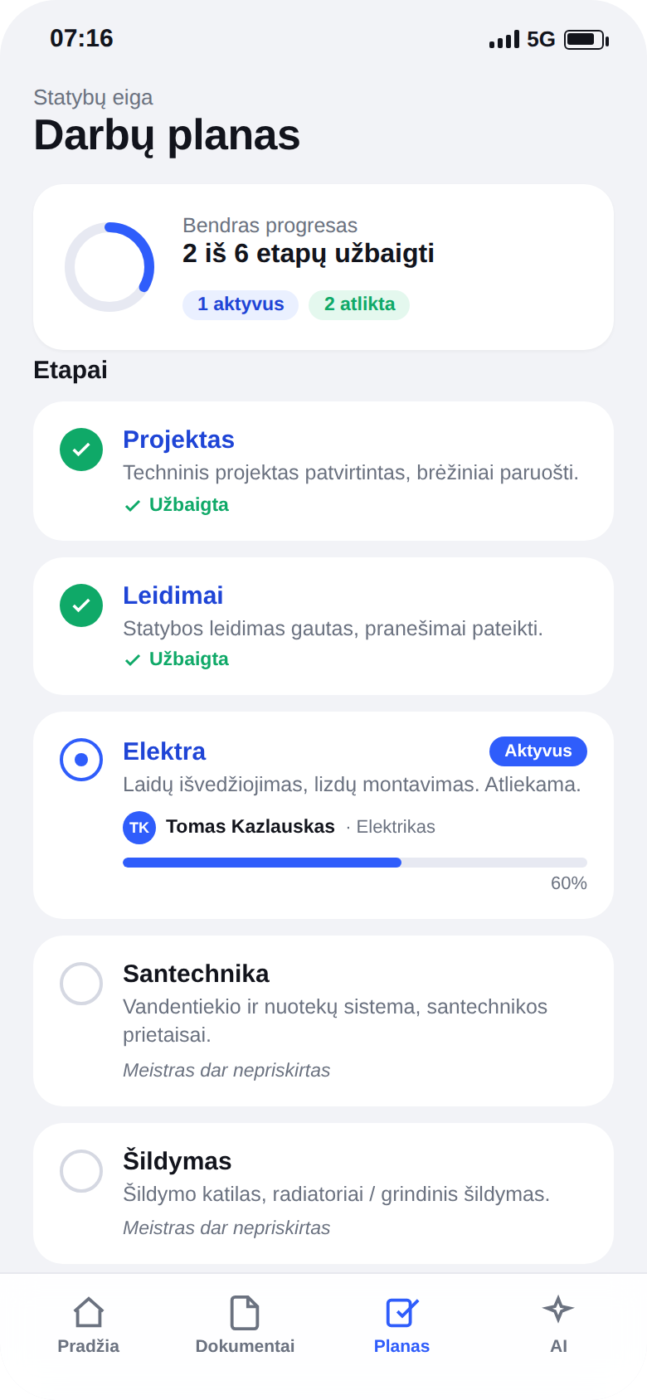
- 05 Follow GoalSix stages with tasks ticked off
- 06 Sync GoalThe contractor's tick updates the client's view live
Same data, seen from both ends.
Six stages
6 steps- 01 Project
- 02 Permits
- 03 Electrical
- 04 Plumbing
- 05 Heating
- 06 Finishing
Each stage shows who is responsible, or flags that nobody is assigned yet.
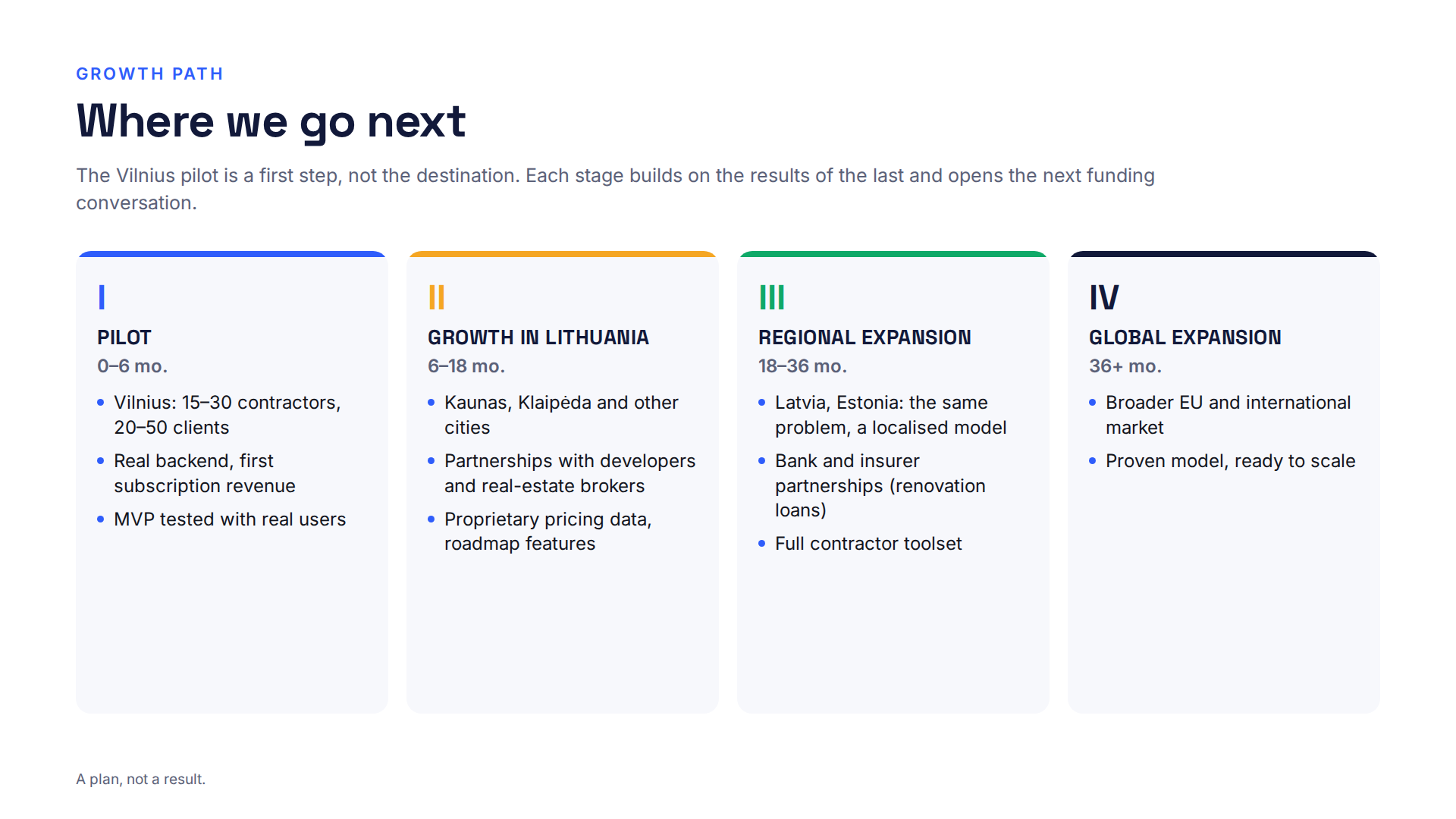
Path to launch (planned)
4 steps- 01 Pilot GoalVilnius, six months
- 02 Lithuania GoalGrowth across the country
- 03 Regional expansion GoalNeighbouring markets
- 04 Global expansion GoalLater
05 Decisions
Built for the homeowner first, with the contractor in the same loop.
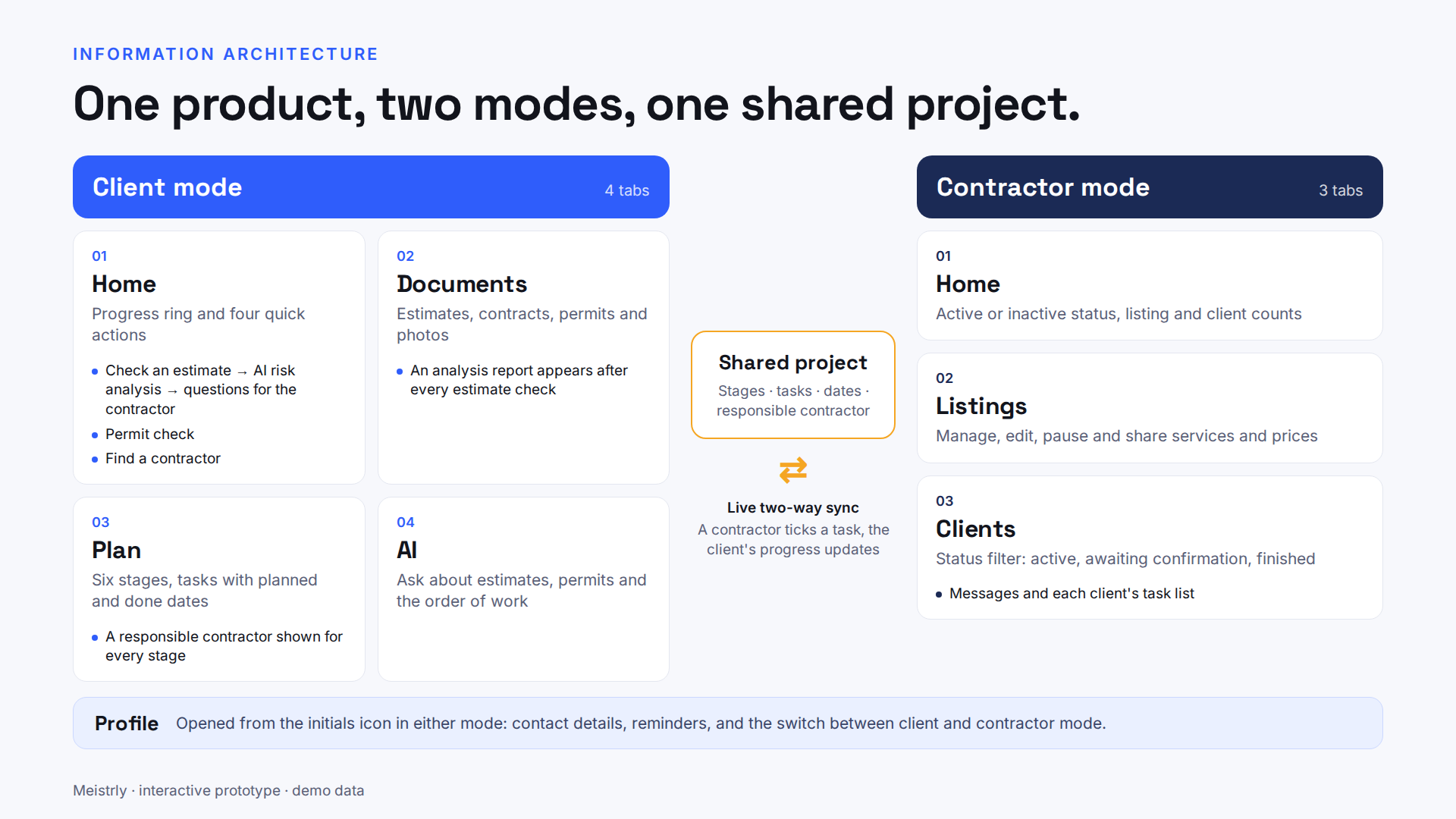
- One app for both sides, not two A contractor's update has to appear on the client's side, which needs one shared data model
- Check the estimate in the client's interest The homeowner is the person least able to judge the document
- Plain language over estimator jargon A risk flag only works if a non-expert understands it
- Unlock stages in order A clear next step keeps a long project from feeling like a wall
- Build the prototype in real code Decisions were tested against behaviour, not a picture of it
- Lighter for clients, darker for contractors Same system, different register for a different working context
06 Solution
Check before you sign, then follow every stage.
- Plain language over jargon: risk flags read like a friend explaining them
- Progressive disclosure: the next stage unlocks once the current one is done
- Two-way transparency: a contractor's update shows live on the client's side
- One system, two moods: lighter for clients, darker for contractors
- Design as a working artefact: every screen built as real, interactive code
One ring, four actions
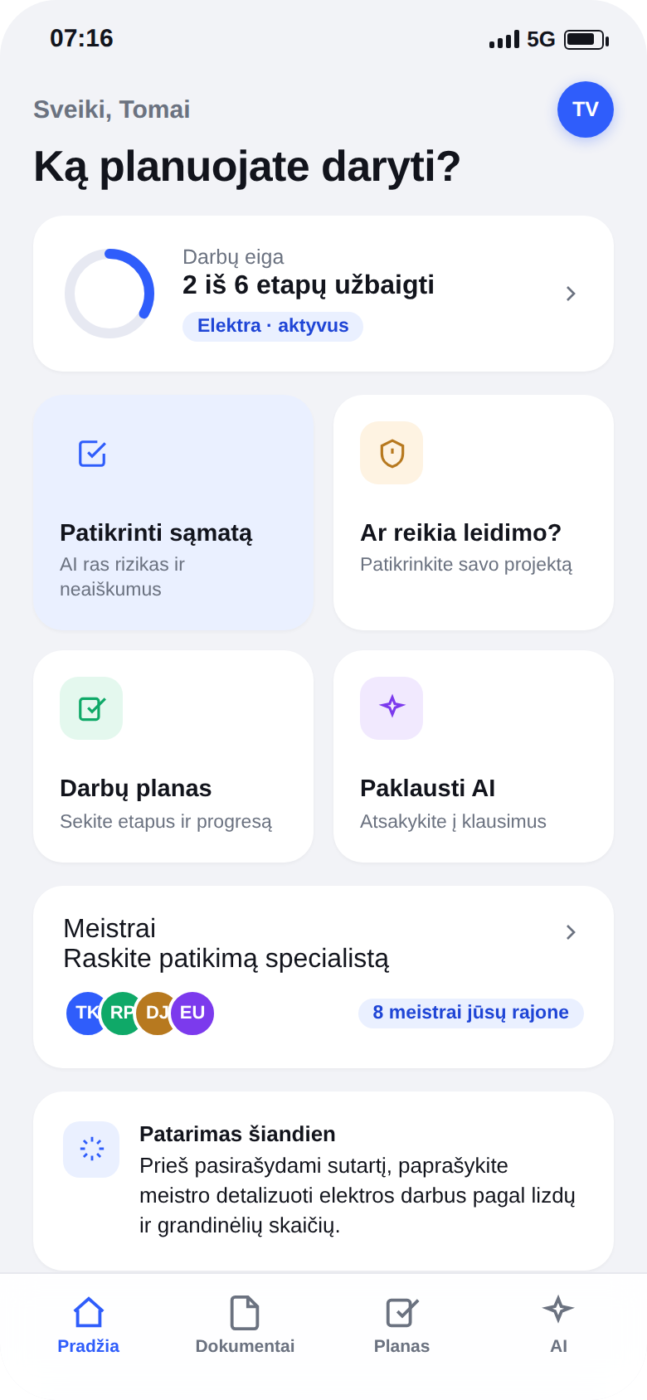
A single progress ring shows where the project stands, with the four core actions always one tap away: check an estimate, verify a permit, follow the plan, ask AI.
Risks in plain language
An uploaded estimate becomes specific, severity-ranked risks, so a non-expert can see what is missing or unclear before signing.
A plan with names on it
Each stage shows who is responsible, or flags that nobody is assigned yet. Naming the person turns a timeline into an accountable one.
The questions you would ask a friend
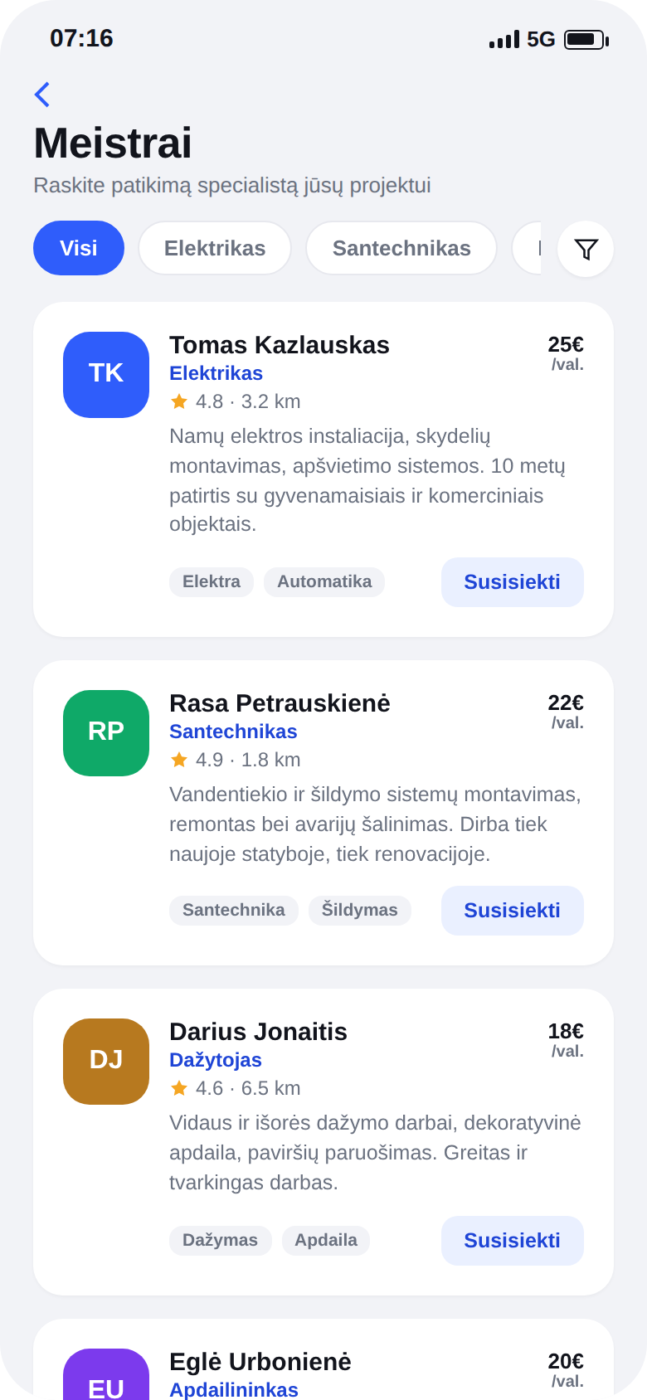
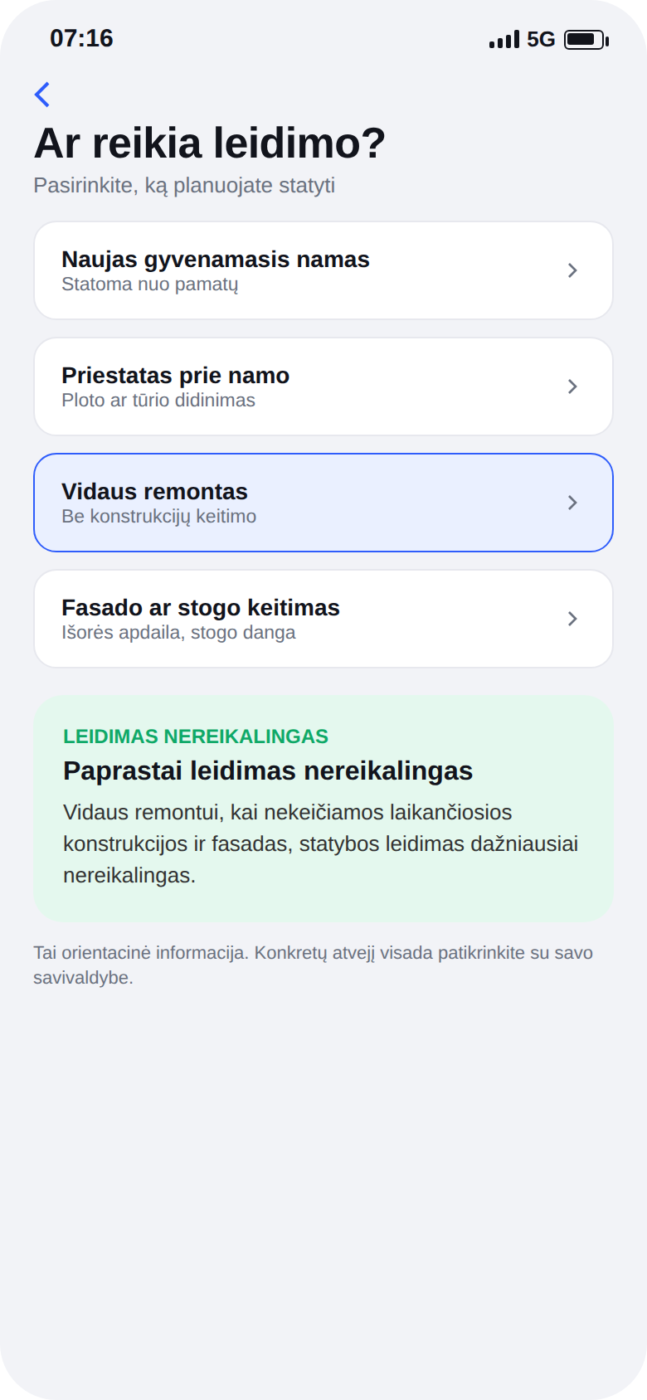
Contractors filter by specialty, distance, price and rating. A quick permit check replaces a call to the municipality.
The contractor's side
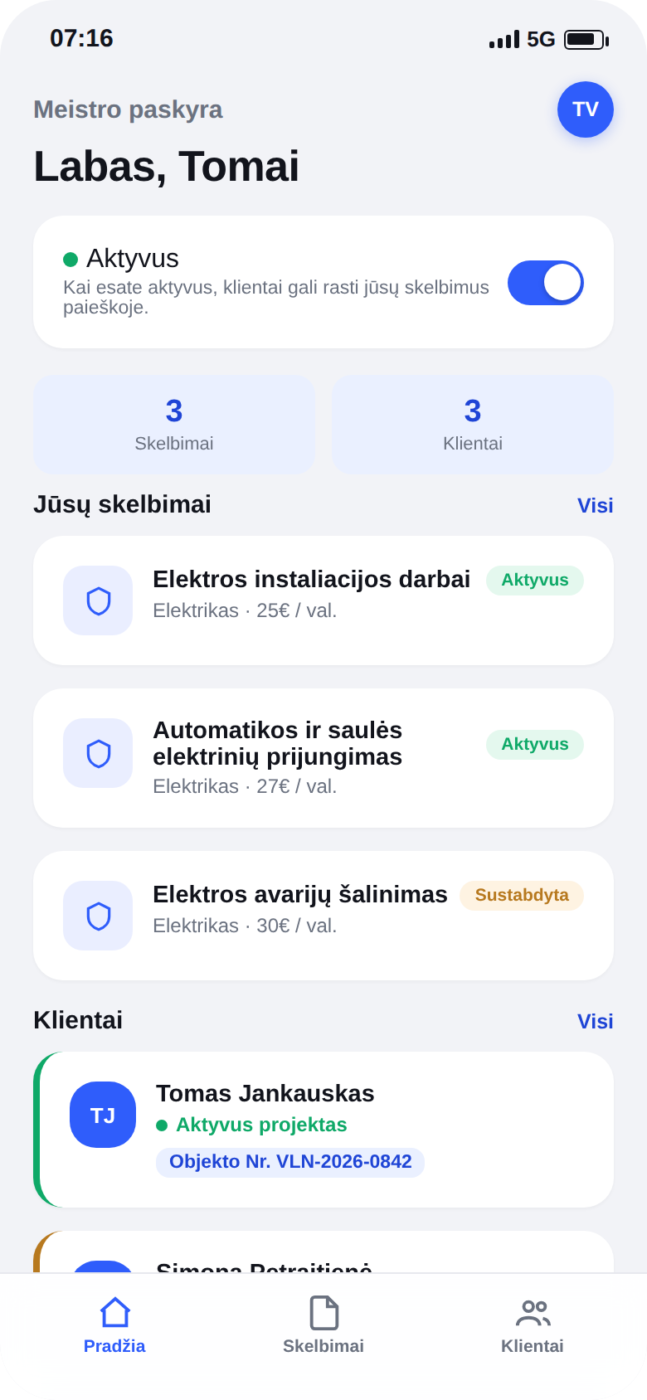
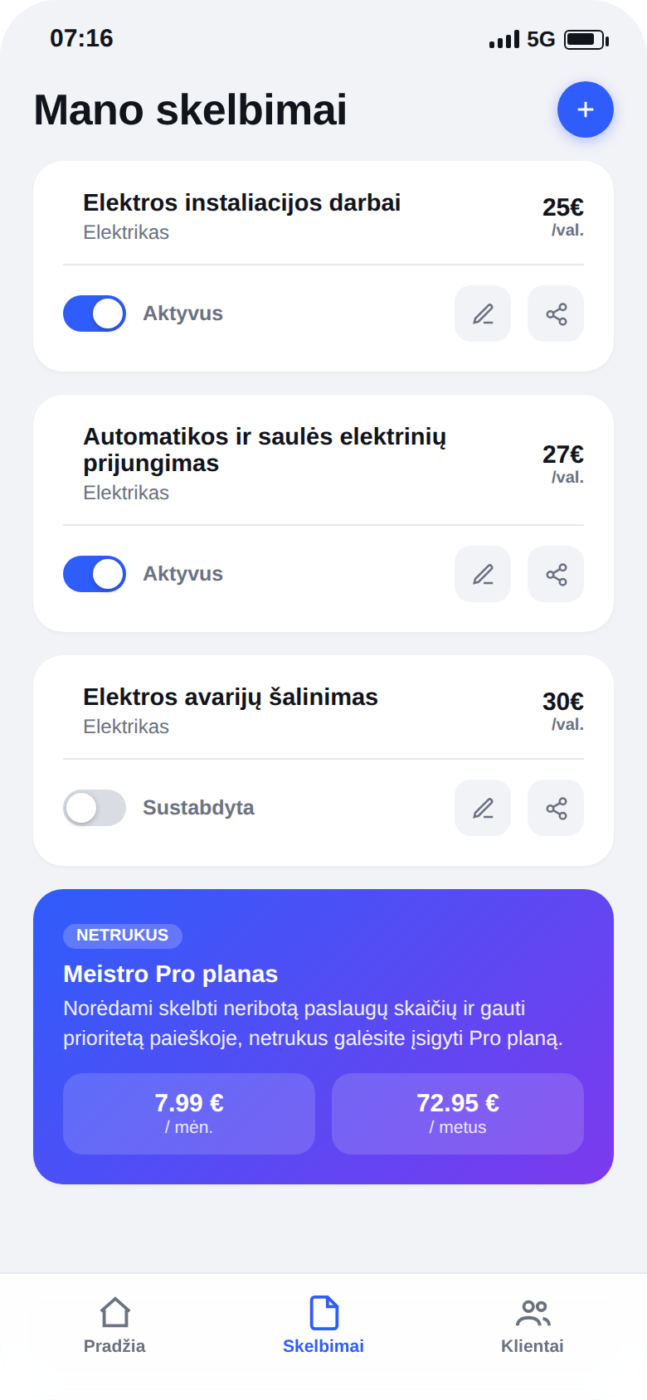
A visibility toggle, a quick read on listings and clients, and services and prices managed directly, without waiting for a platform admin.
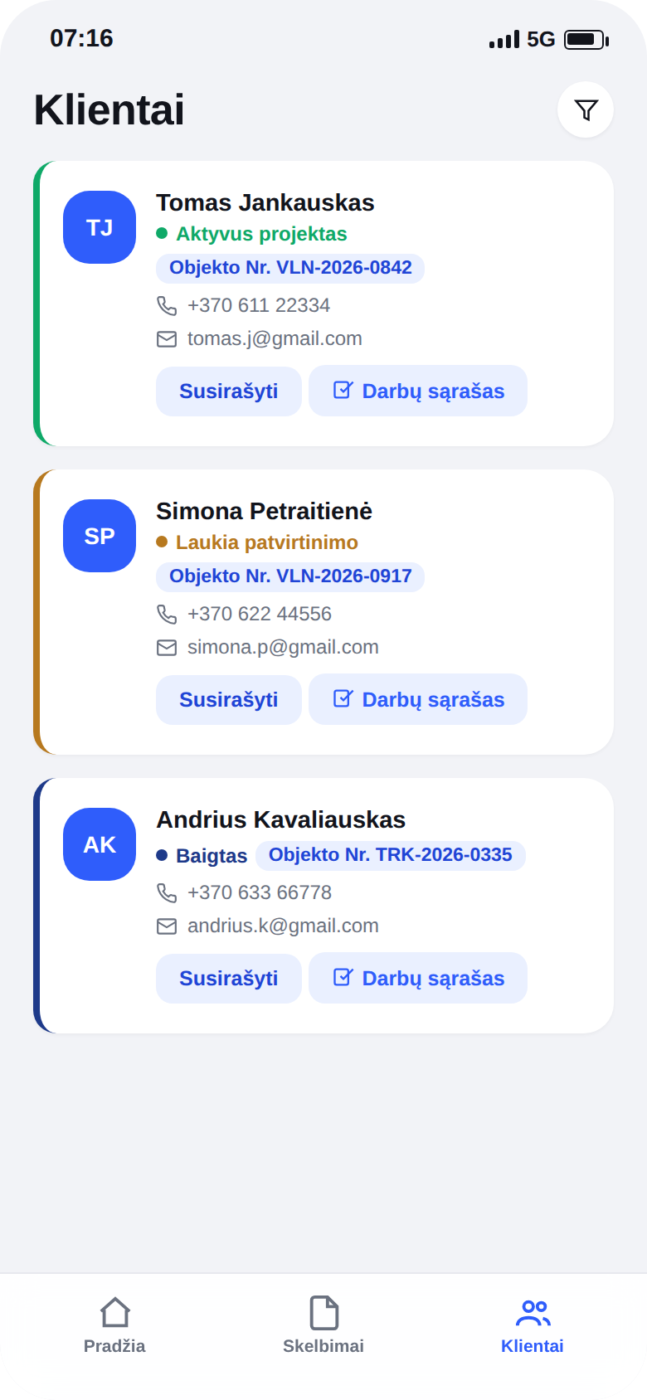
The link that makes it work
Text: When a tradesperson checks a task off, the client's progress updates live. The same data, seen from both ends.
07 Results
A working two-sided prototype, a pitch and a plan for the Vilnius pilot.
- The two-way link between contractor and client turned out to be the strongest part of the product, so it belongs in the first version.
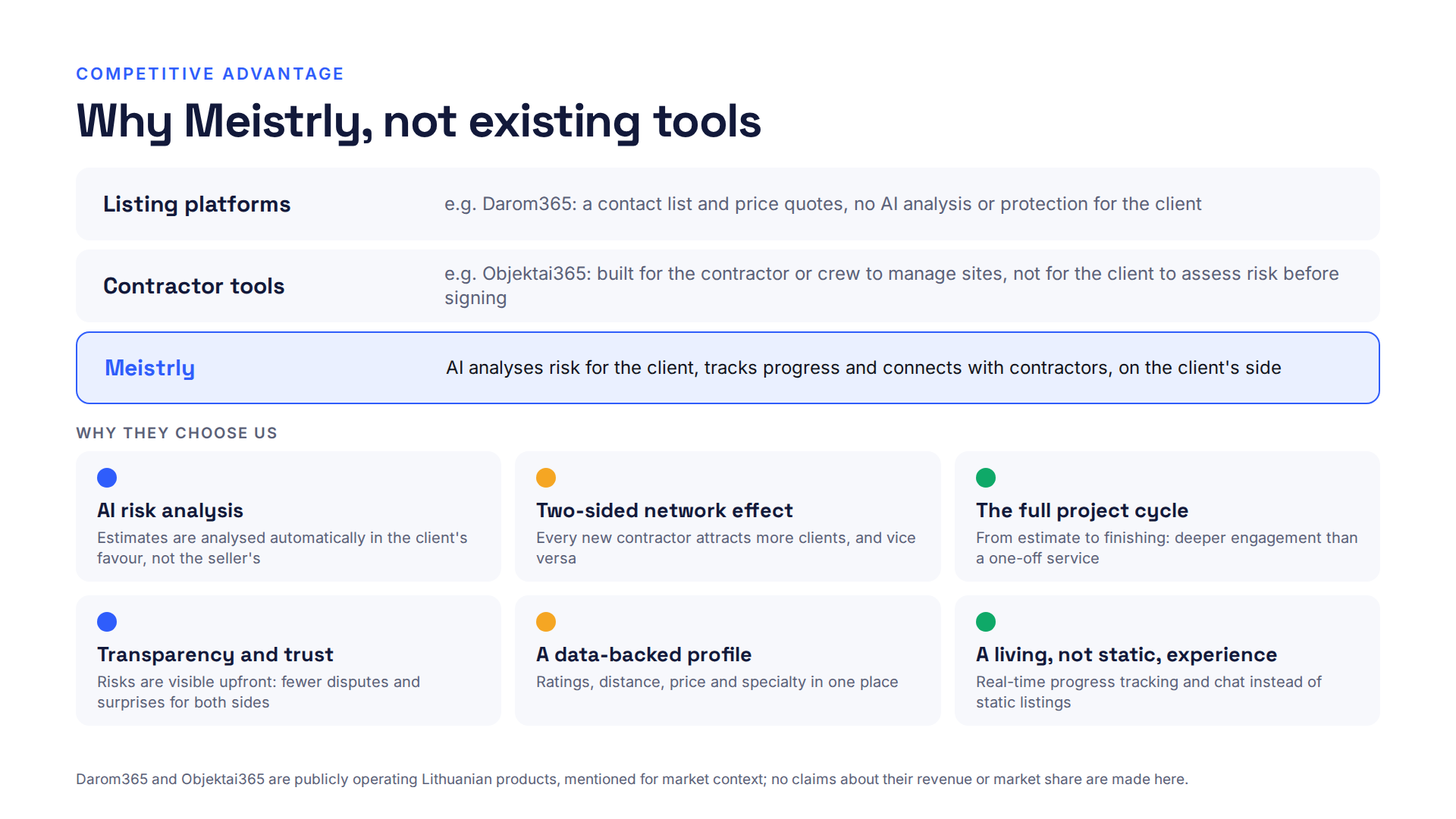
- Positioning becomes credible when it is local: naming real Lithuanian alternatives beats comparing with foreign marketplaces.
- Building every screen as real code made visual QA fast: feedback like "align icons with headings" could be fixed and re-checked in minutes.